How to play 2048
2048 is a sliding number puzzle. Every move slides all the tiles on the board in one direction, and two tiles with the same number join into one. Keep joining to build bigger and bigger numbers, all the way to the 2048 tile.
The goal
Make a tile with the number 2048 (512 on the small 3×3 board) before the board fills up.
Setting up
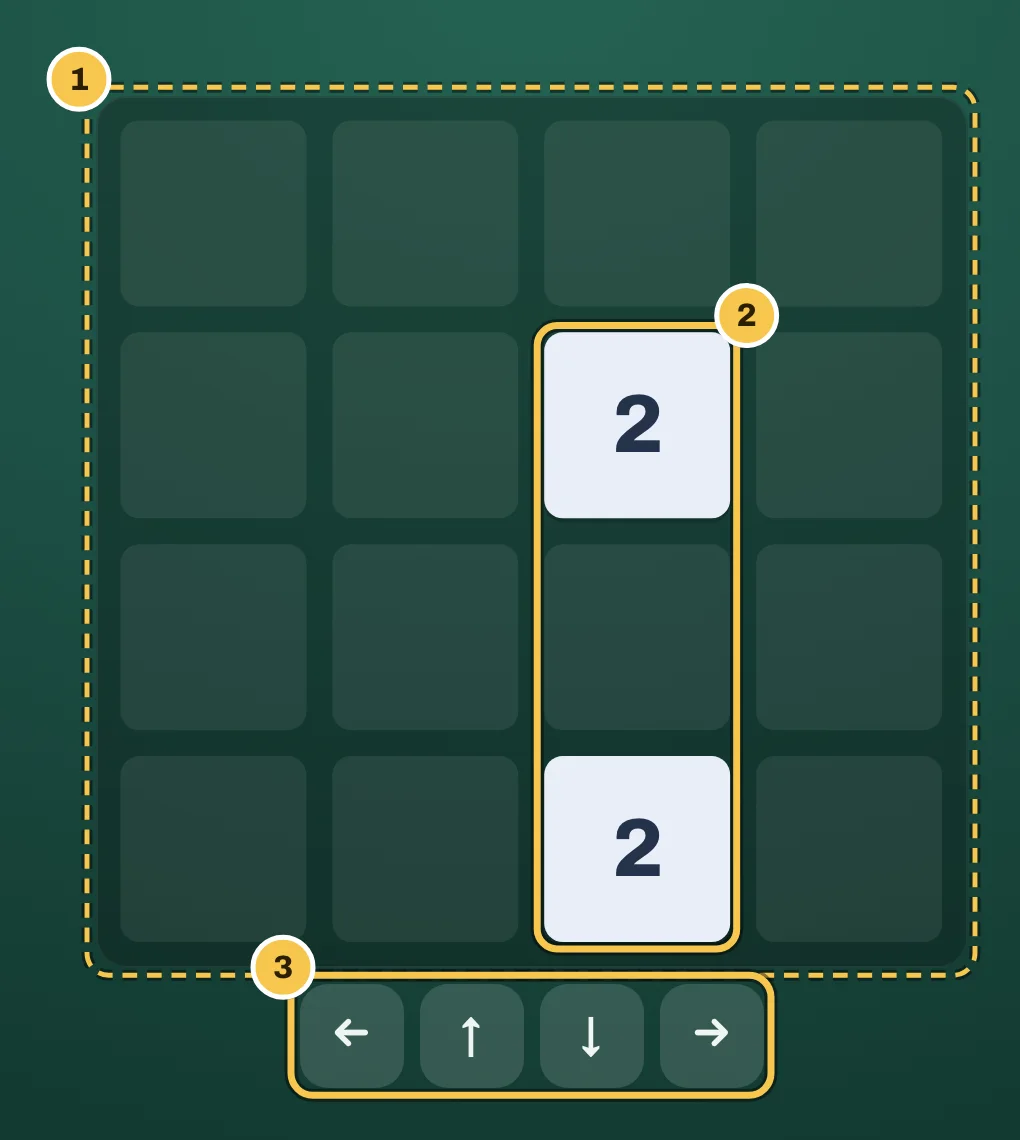
- The board. A grid of 16 cells, 4 by 4 (25 cells on the roomy board, 9 on the small one).
- Two tiles to start. Each is a 2 or a 4, in a random cell.
- The score. It starts at 0 and grows with every join.
How to play, step by step
- Slide. Swipe across the board, press an arrow key, or tap an arrow: every tile slides as far as it can in that direction.
- Join. Two tiles with the same number that slide into each other become one tile with their sum: 2 and 2 make 4, 4 and 4 make 8. The new number is added to your score.
- One join per tile. A tile made in a move doesn't join again in the same move: 2, 2 and 4 slid to the left become 4 and 4, not 8.
- A new tile. After every move that changes the board, a new tile appears in an empty cell: usually a 2, now and then a 4.
- Win. Make the 2048 tile (512 on the small board).
- Game over. When the board is full and no two neighbouring tiles have the same number, nothing can move any more.
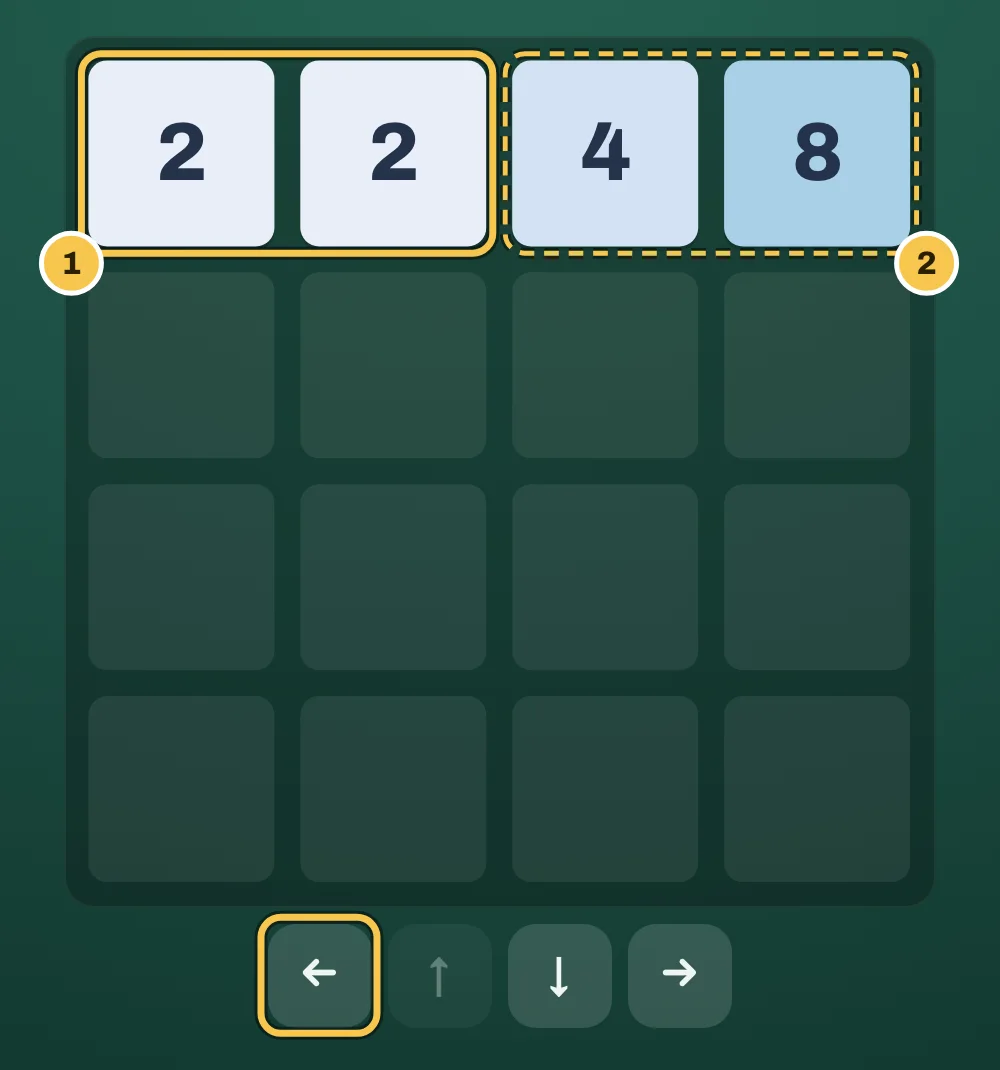
Common mistakes
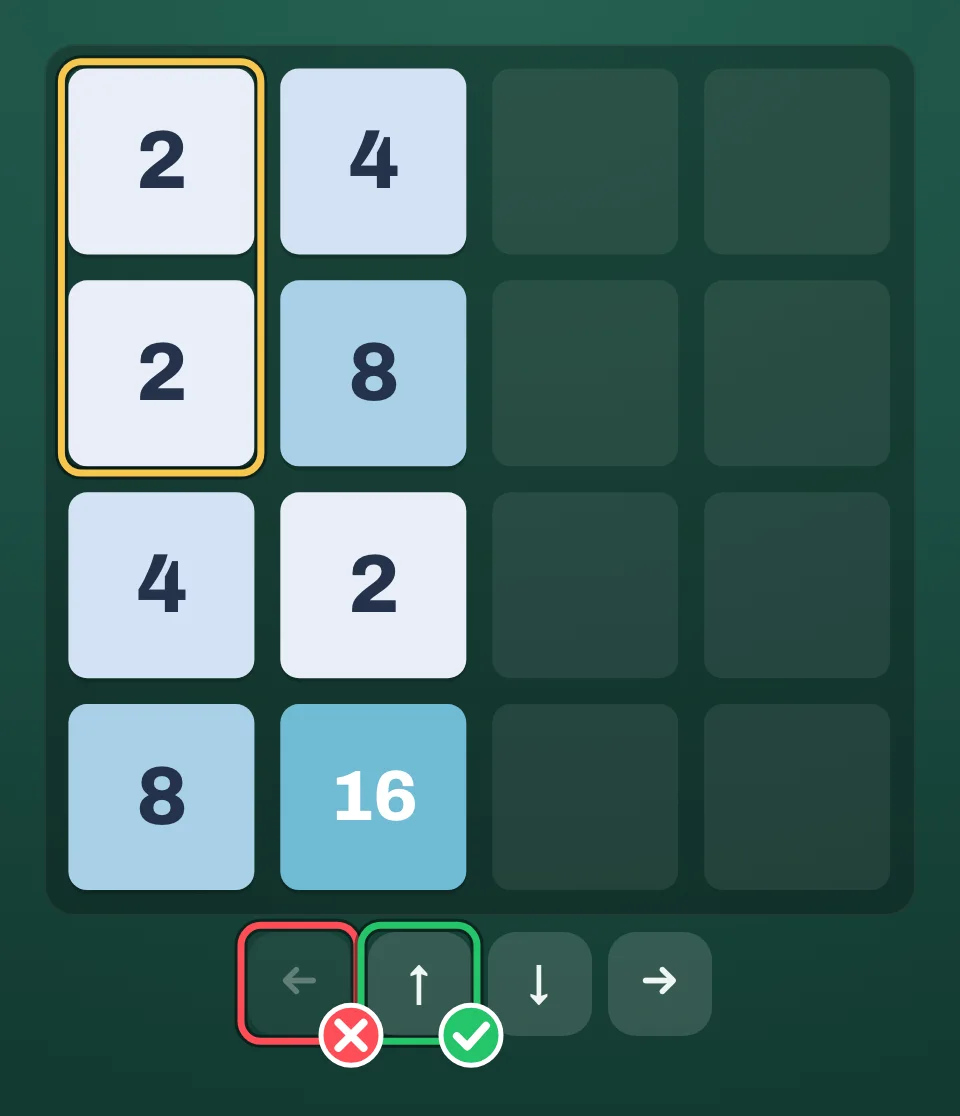
Two more things catch new players. Sliding back and forth at random fills the board with small tiles that can't meet: keep your biggest tile in one corner and build towards it. And a single move in the wrong direction can pull that big tile out of its corner, so think before you slide the side it sits on.
Scoring
| What happened | Points |
|---|---|
| Two 2s joined into a 4 | 4 |
| Two 4s joined into an 8 | 8 |
| Any join | The number of the new tile |
| A move without a join | 0 |
Your best score for each board is kept in the statistics.
How you win
Reach the goal tile: 2048 on the classic 4×4 board and on the roomy 5×5 board, 512 on the small 3×3 board. Choose the board under New.
Undo and hints
Undo takes back your last move, the new tile included. Hint looks a few moves ahead at the tiles that may appear, and shows the direction most likely to keep the board open.
Controls
- Swipe across the board with a finger, or drag across it with the mouse.
- On a keyboard, the ← ↑ → ↓ arrow keys or W A S D slide the tiles.
- Tap an arrow under the board (beside it on a wide screen). An arrow is greyed out when that direction changes nothing.
- U takes back a move, H shows a hint and N opens the new game options.
Tips for winning more games
- Pick a corner. Keep your biggest tile in one corner all game.
- Mostly use two directions. If your big tile sits bottom left, slide down and left, and right when you must.
- Keep the edge row full. A full row along your corner's edge can't shift, so the big tile stays put.
- Build a chain. Line up tiles in falling order beside the big one (1024, 512, 256…) so they join one after another.
- Leave room. Join small tiles early, before they spread out and block the board.
- Think one move ahead. Look where the new tile could land, and don't open a gap next to your corner.
Questions
Can I keep playing after 2048?
The game ends when you reach the goal tile, with your score in the statistics. Start a new game to beat it, or try the small board, where the goal is 512.
Where do the new tiles come from?
After each move a new tile, a 2 nine times in ten and otherwise a 4, appears in one of the empty cells, chosen at random. The same game always brings the same tiles after the same moves, so a game comes back exactly after a refresh.
Does Undo cost anything?
No. Undo takes back as many moves as you like, and your score goes back with them.
Is it free? Do I need an account?
Yes, it's free, and you don't need an account or a download. Your current game and your statistics are saved in this browser on this device. A free account is optional: it keeps your games on every device and puts your wins on the leaderboards.
What happens if I close the page?
Your game is saved after every move. Open the page again in the same browser and you carry on where you were.
Can I play offline?
Yes. After your first visit, the game works without an internet connection. On a phone, add it to your home screen to open it like an app.