How to play Block Puzzle
Block Puzzle is a calm game of fitting shapes. Three pieces wait beside the board; put them on it, fill whole rows and columns to clear them, and keep going as long as there is room. There is no timer and no rush.
The goal
Score as many points as you can. The game ends when none of the pieces you have left fits on the board.
Setting up
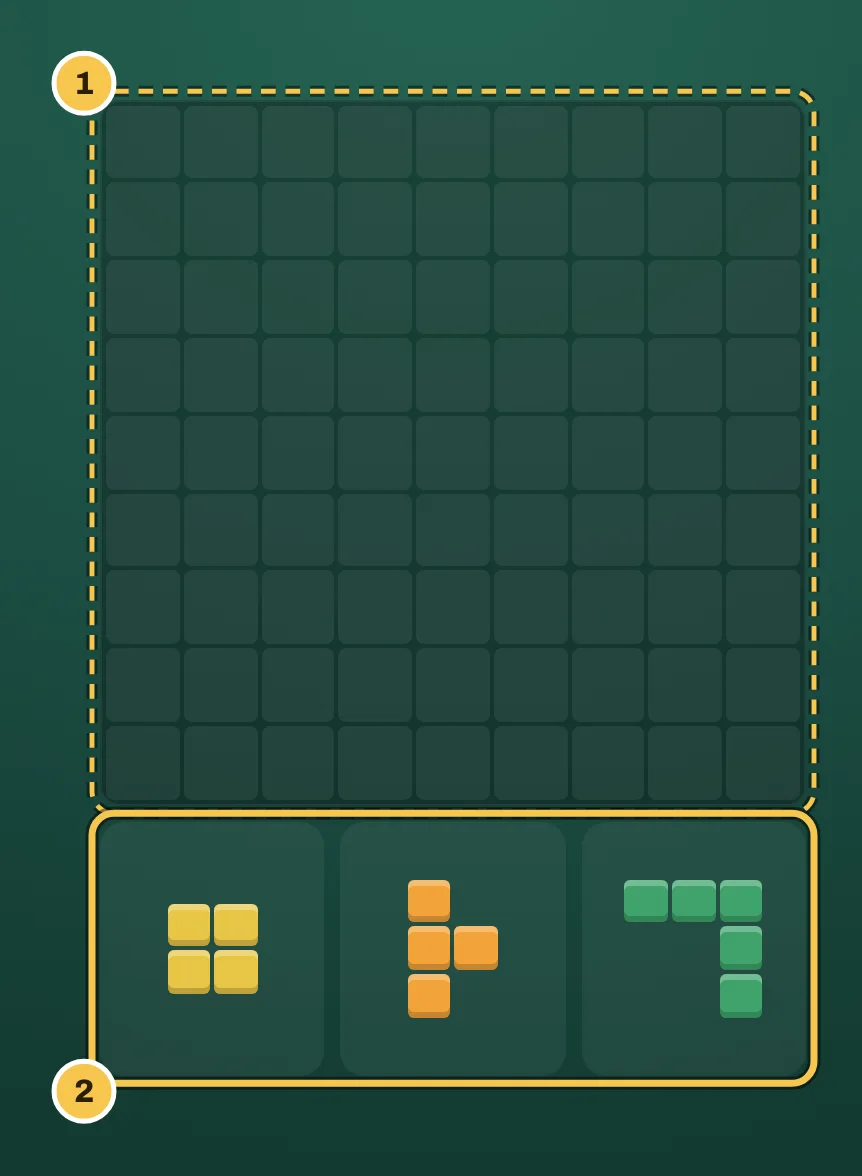
- The board. 9 by 9 squares (10 by 10 on Easy, 8 by 8 on Hard).
- The pieces. From a single square to a block of three by three. They can't be turned.
- Three at a time. When all three are on the board, three new pieces come.
How to play, step by step
- Pick up a piece. Drag it from below the board, or tap it.
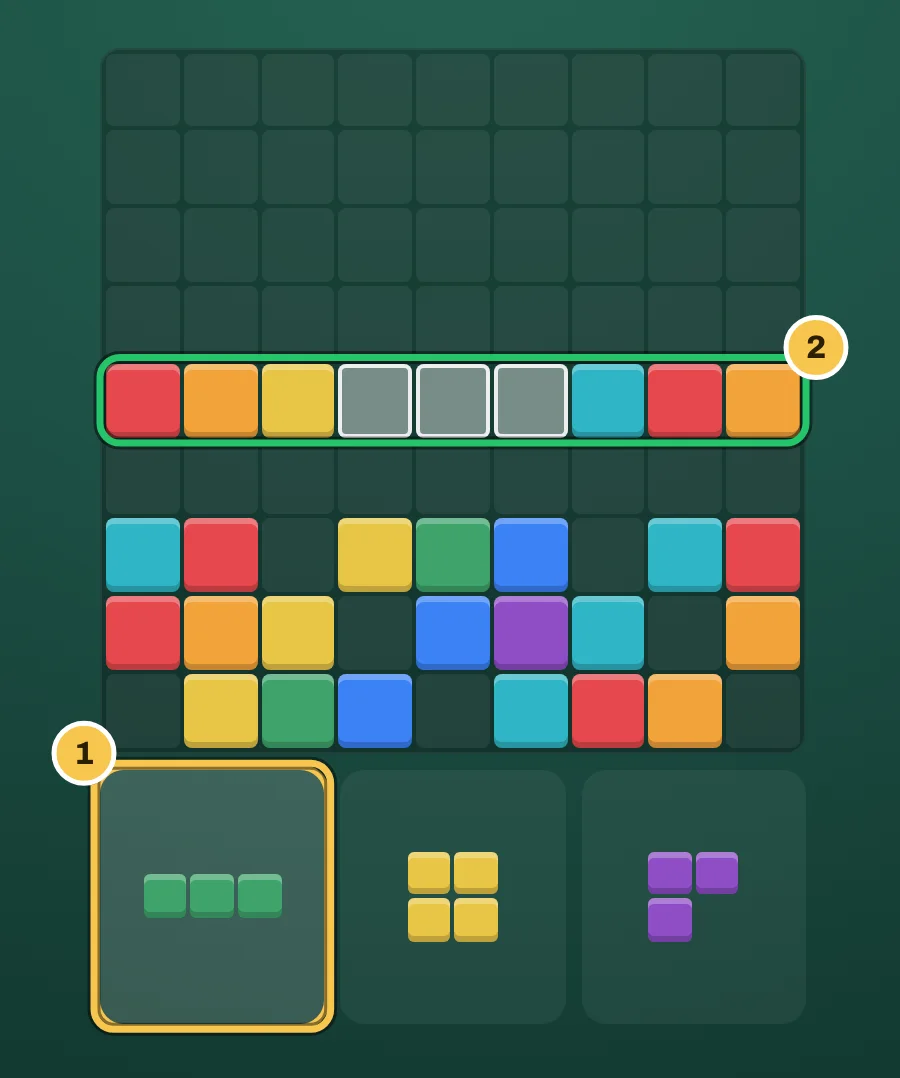
- Put it down. Drop it where it fits: a light outline shows where it will go. After a tap, tap the square for the piece's top-left corner.
- Fill a line. A full row or a full column clears at once, making room.
- Clear several together. Lines cleared by the same piece score more.
- Carry on until no piece fits any more.
Common mistakes
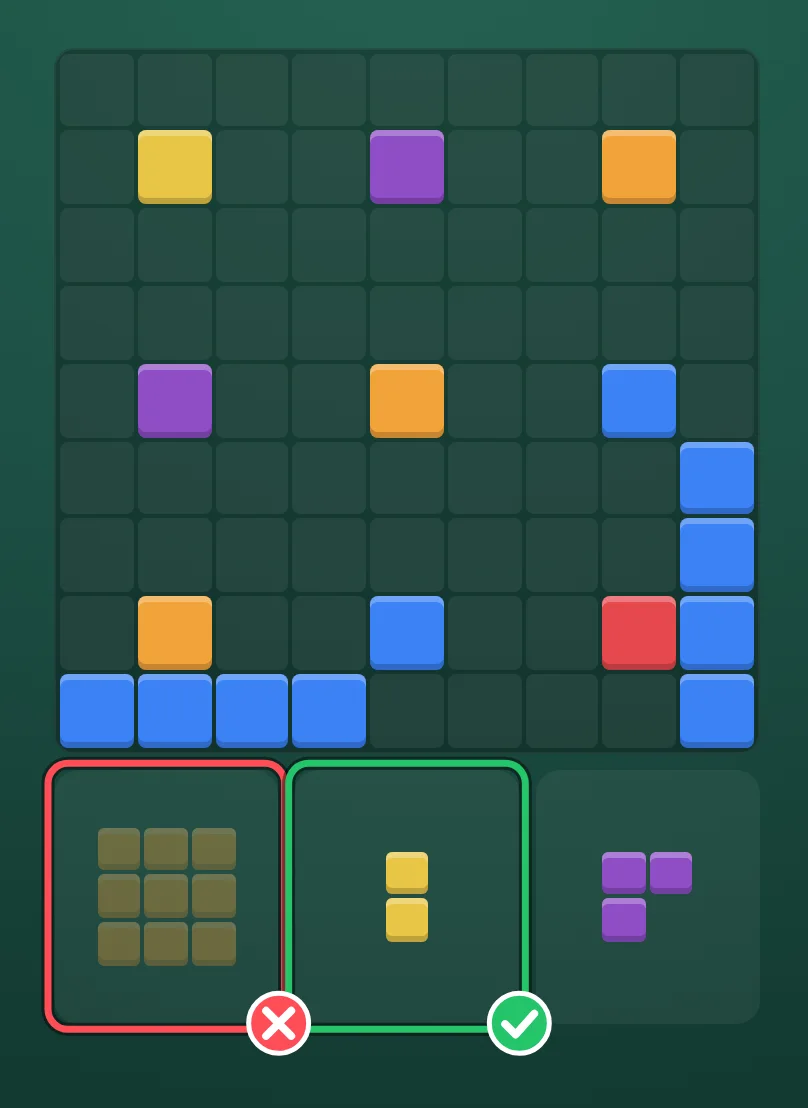
Two more things catch new players. Leaving single empty squares boxed in by others: only the smallest piece can fill them. And filling the middle of the board first: keep an open space of three by three for the big block.
Scoring
| What happened | Points |
|---|---|
| Each square placed | 1 |
| One line cleared | 10 |
| Two lines with one piece | 30 |
| Three lines with one piece | 60 |
| Four lines with one piece | 100 |
Your best score for each board is kept in the statistics.
How the game ends
When none of the pieces left beside the board fits anywhere, the game is over and your score counts. Choose the board under New.
The three boards
- Classic 9×9: every kind of piece.
- Easy 10×10: more room and small pieces only, up to four squares.
- Hard 8×8: less room, and the big pieces come more often.
Undo and hints
Undo takes back as many pieces as you like. Hint shows a good place for one of your pieces: one that clears lines, leaves no lonely gaps and keeps room for the others.
Controls
- Drag a piece onto the board with a finger or the mouse. On a touch screen the piece rides a little above your finger, so you can see where it goes.
- Or tap a piece, then tap the square where its top-left corner should go.
- On a keyboard, 1 2 3 choose a piece, the arrow keys move it, Enter puts it down, Esc puts it back, U takes back a piece, H shows a hint and N opens the new game options.
Tips for higher scores
- Keep room for the big block. An empty three by three space saves many games.
- Work along the edges. Fill the board from its sides and corners, and keep the middle open.
- Avoid lonely gaps. A single empty square between pieces is hard to fill.
- Look at all three pieces first. Decide the order before you place the first.
- Aim for two lines at once. A row and a column that cross score far more together.
- Clear early. A line that can clear now makes room for the next pieces.
Questions
Does the game ever end?
Only when none of your pieces fits. With care you can keep clearing lines for a very long time.
Can I turn a piece?
No. Each piece goes on the board the way it comes, so plan for its shape.
Does Undo cost anything?
No. Undo takes back as many pieces as you like, and your score goes back with them.
Is it free? Do I need an account?
Yes, it's free, and you don't need an account or a download. Your current game and your statistics are saved in this browser on this device. A free account is optional: it keeps your games on every device and puts your wins on the leaderboards.
What happens if I close the page?
Your game is saved after every move. Open the page again in the same browser and you carry on where you were.
Can I play offline?
Yes. After your first visit, the game works without an internet connection. On a phone, add it to your home screen to open it like an app.