How to play Hashi
Hashi, also called Bridges, is a logic puzzle from Japan: its full name, Hashiwokakero, means "build bridges". Islands with numbers lie in the sea; connect them with bridges until every island has its number of bridges and all the islands are joined. Every puzzle here has exactly one solution.
The goal
Build bridges so that every island has exactly as many bridges as its number, and every island can reach every other one.
Setting up
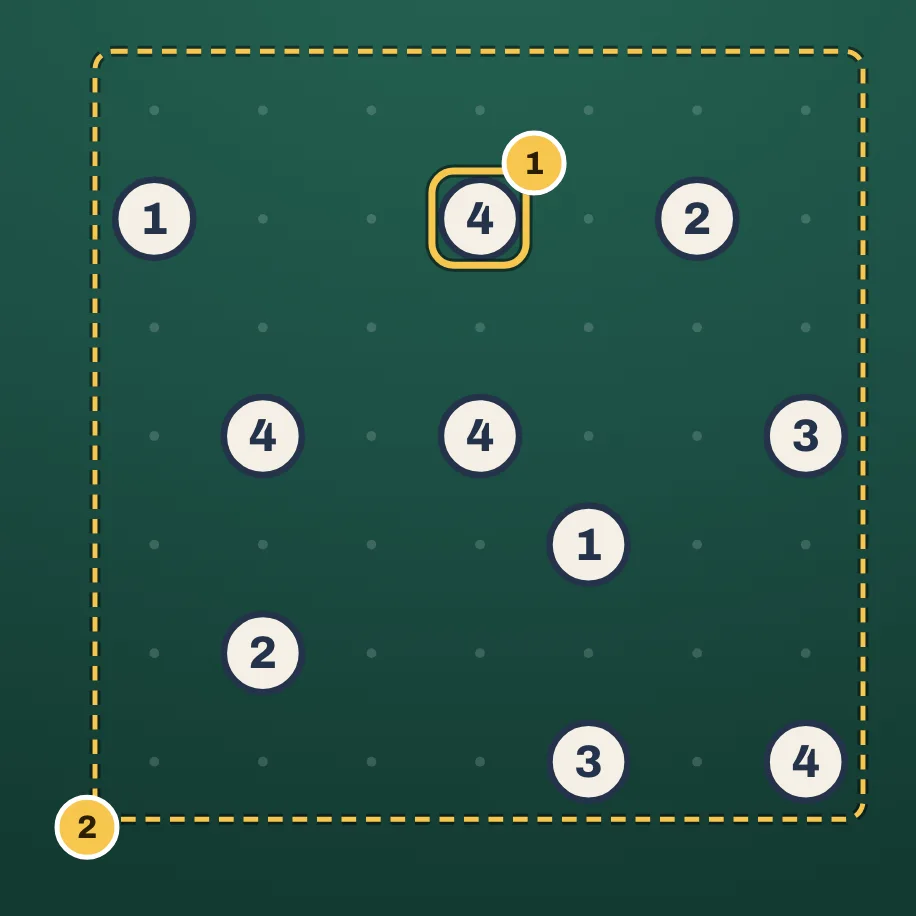
- Islands. Round, each with a number from 1 to 8.
- Bridges. They run straight across or straight down, from one island to the next one in its row or column.
- One or two. Two islands can be joined by one bridge or two, never more.
- No crossing. A bridge never crosses another bridge or passes over an island.
How to play, step by step
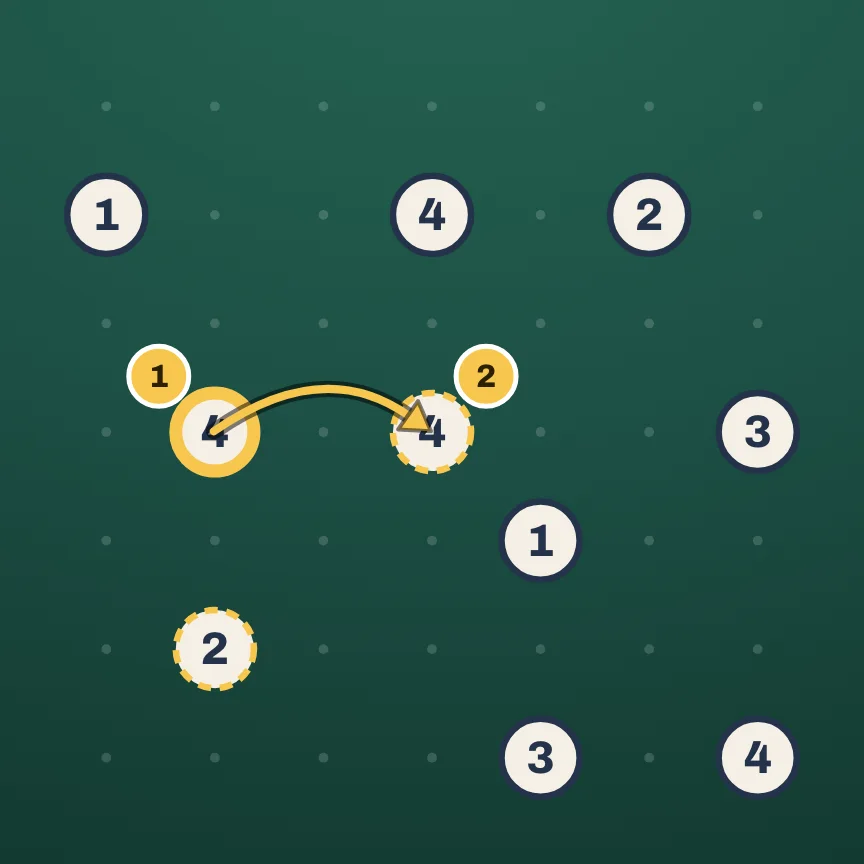
- Choose an island. Tap it: the islands it can reach are marked.
- Build a bridge. Tap one of them, or drag from one island to the other: a bridge appears.
- A second bridge. Do the same again, or tap the bridge: it becomes a double bridge. Once more and both go.
- Finish an island. When it has its number of bridges, it turns green. Too many, and it turns red.
- Join everything. The puzzle is solved when every island is green and all of them are connected.
Common mistakes
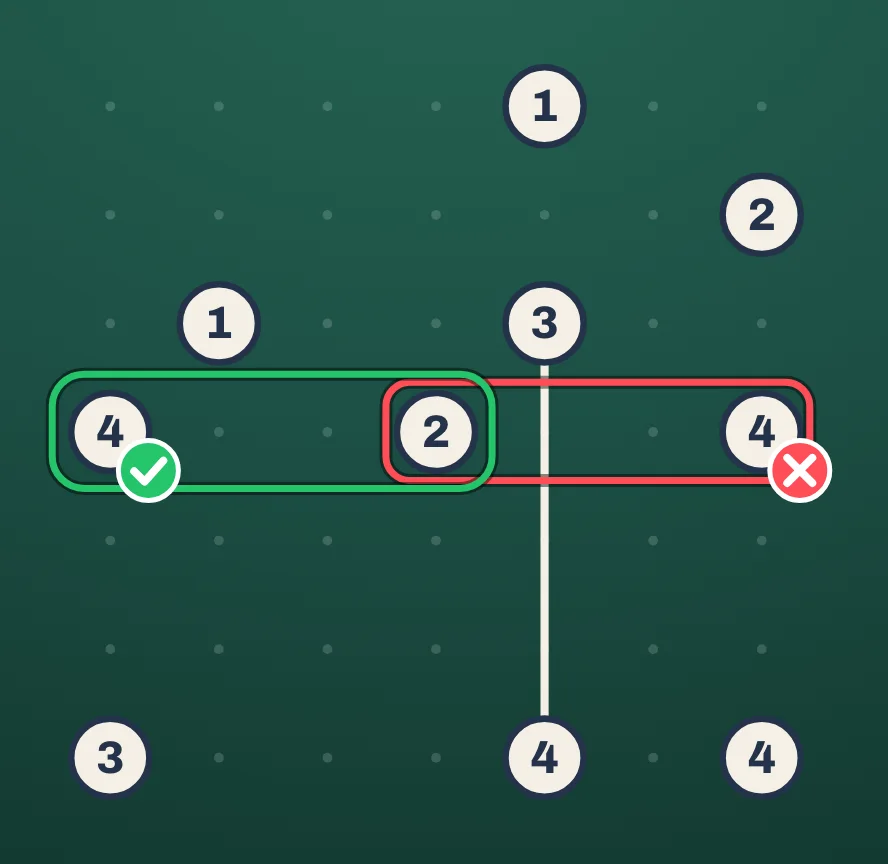
Two more things catch new players. Islands that meet their numbers in a small group of their own, cut off from the rest, don't solve the puzzle: everything must be joined. And bridges never bend: an island diagonally away can't be reached directly.
Levels
| Level | Grid | Islands |
|---|---|---|
| Easy | 7 × 7 | About 10 |
| Medium | 9 × 9 | About 17 |
| Hard | 11 × 11 | About 26 |
There are no points: the top bar counts your moves and the islands still missing bridges, and the statistics keep your best time for each level.
How you win
Give every island its number of bridges, with all the islands joined together. Choose the level under New.
Undo and hints
Undo takes back as many moves as you like. Hint first points out a bridge that isn't part of the solution, then marks two islands to join, starting where the choice is easiest to see.
Controls
- Tap an island, then another in the same row or column, or drag from one to the other, to build a bridge.
- Tap a bridge to make it double, or a double bridge to take it away.
- On a keyboard, Tab moves from island to island, Enter chooses one, Esc puts it down, U takes back a move, H shows a hint and N opens the new puzzle options.
Tips for solving faster
- Start with the full islands. An 8 has four neighbours and needs two bridges to each; a 6 with three neighbours, the same.
- Count the neighbours. A 4 in a corner, with only two islands in reach, needs two bridges to both.
- One bridge each. A 7 with four neighbours, or a 5 with three, needs at least one bridge to every one of them.
- Don't join two 1s. They would be finished with each other and cut off from the rest.
- Don't double two 2s. For the same reason, two 2s never share a double bridge.
- Watch the crossings. A bridge you build may shut another island off from a neighbour.
Questions
Does every puzzle have exactly one solution?
Yes. Every puzzle is checked by the computer when it is made: there is one way to build the bridges, and no other.
Where does the name come from?
Hashiwokakero is Japanese for "build bridges". The puzzle comes from the Japanese puzzle publisher Nikoli, also known for Sudoku.
Does Undo cost anything?
No. Undo as often as you like; the move counter simply goes back with it.
Is it free? Do I need an account?
Yes, it's free, and you don't need an account or a download. Your current game and your statistics are saved in this browser on this device. A free account is optional: it keeps your games on every device and puts your wins on the leaderboards.
What happens if I close the page?
Your puzzle is saved after every move. Open the page again in the same browser and you carry on where you were.
Can I play offline?
Yes. After your first visit, the game works without an internet connection. On a phone, add it to your home screen to open it like an app.