How to play Minesweeper
Minesweeper is a puzzle of logic on a field of closed cells. Some cells hide a mine. Every cell you open tells you how many mines touch it, and from those numbers you work out where the mines are. Open all the cells without a mine to win. Open a mine, and the game is over.
The goal
Open every cell that hides no mine. You don't have to flag the mines: flags are only there to help you remember where they are.
The field
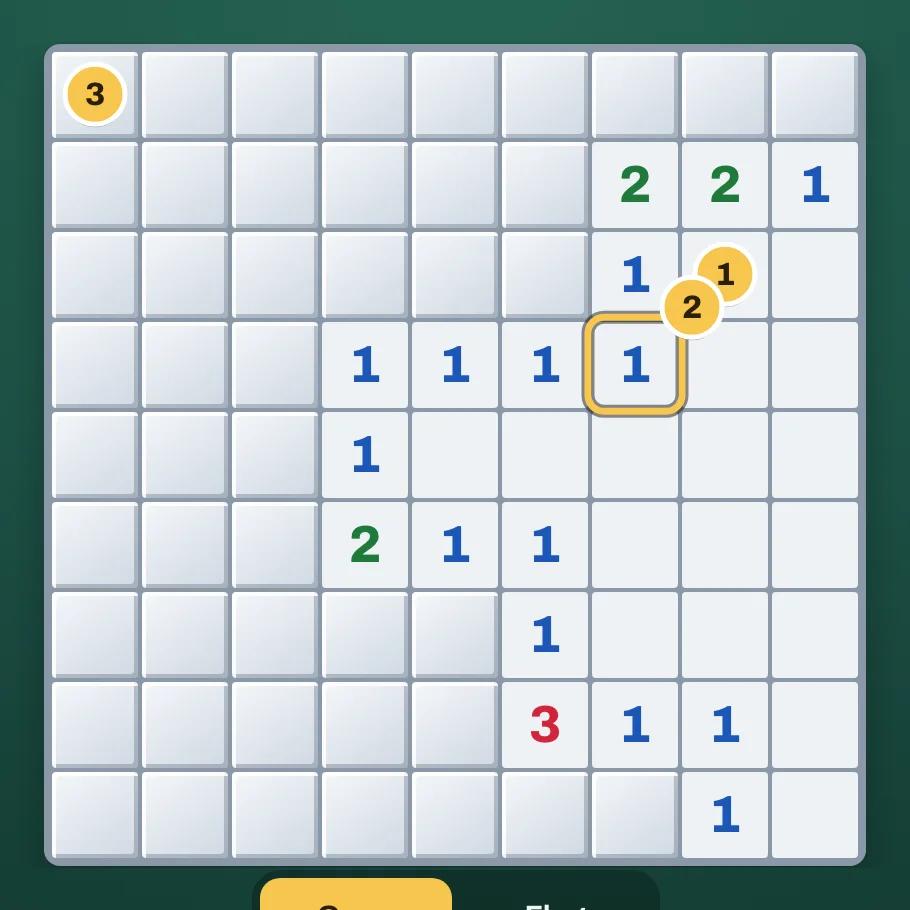
- A number counts its neighbors. Each cell touches up to eight others: at its sides and at its corners. A 2 means that exactly two of them are mines.
- An empty cell opens its neighbors. When a cell has no mine around it, the cells around it are opened for you, and so on.
- The first step is always safe. The mines are laid after your first cell, and never on it or next to it.
How to play, step by step
- Open a cell. Tap any cell to start. A patch of the field opens, with numbers along its edge.
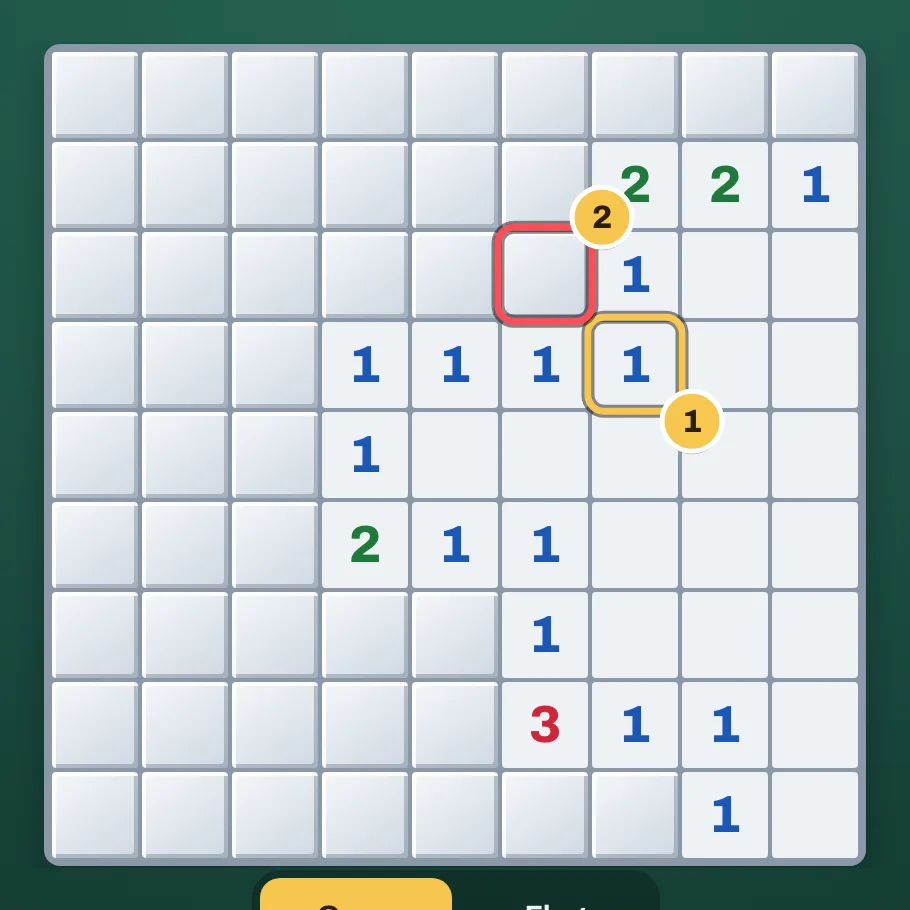
- Find a mine. If a number has exactly as many closed cells around it as it counts, all of those cells are mines.
- Flag it. Press and hold a cell, or right-click it, to plant a flag. You can also tap Flag under the field and then tap cells.
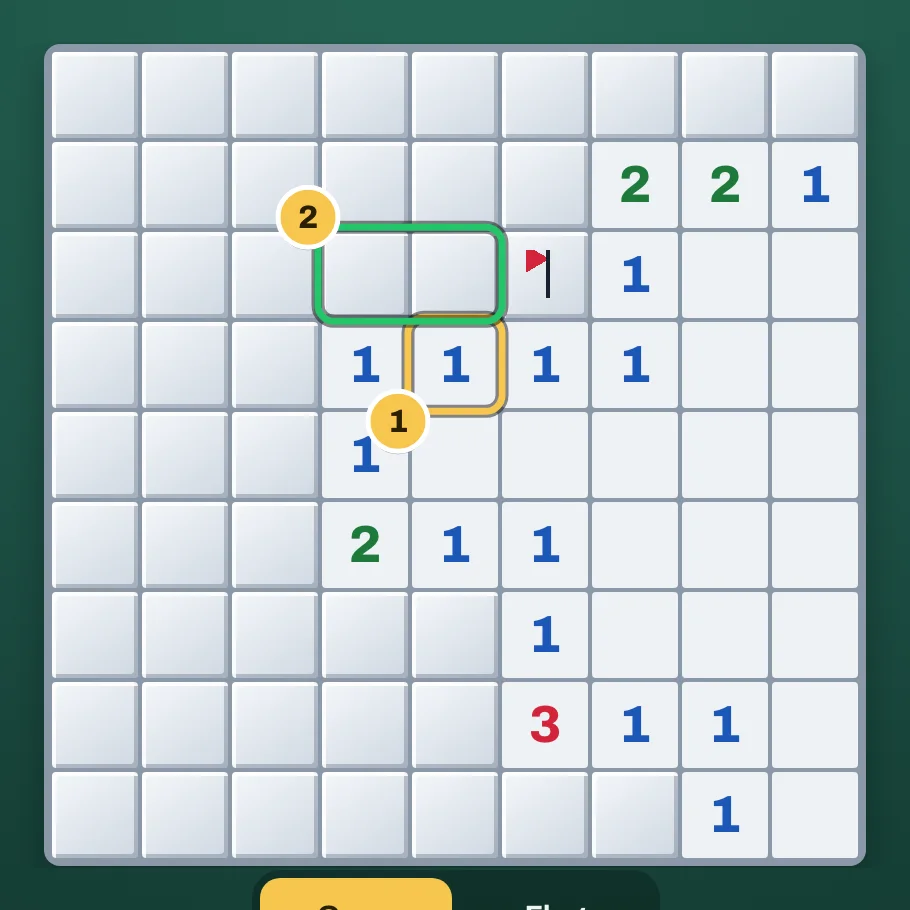
- Find a safe cell. If a number already has all its mines flagged, every other closed cell around it is safe to open.
- Open several at once. Tap a number that has all its flags around it, and its other neighbors are opened together.
Common mistakes
A flag is only your own note: the game doesn't check it. If you flag the wrong cell, the numbers around it will mislead you, and a tap on a number may open a mine. Count the corners too: a cell touches the cells diagonally next to it, not only the four at its sides. And when the numbers really leave two possibilities, look for another place on the field before you take a chance.
How you win
You win when every cell without a mine is open. The counter in the top bar shows the mines minus your flags, and how many safe cells are still closed. Your best time is kept for each level. Choose the level under New.
The three levels
- Beginner: 9 by 9 cells with 10 mines.
- Intermediate: 16 by 16 cells with 40 mines.
- Expert: 30 by 16 cells with 99 mines. On a phone held upright the field is turned on its side, and you can scroll it.
Controls
- Tap or click a closed cell to open it.
- Press and hold, or right-click, to plant a flag or take it off again.
- Open and Flag under the field choose what a tap does.
- Tap a number with all its flags around it to open its other neighbors.
- Hint points to a cell the numbers prove safe, or to a mine you can flag, and says why.
- There is no Undo: an opened mine ends the game.
- On a keyboard, F switches between opening and flagging, H shows a hint and N opens the new game options.
Tips for winning more games
- Start in the middle. A first cell away from the edges opens a bigger patch.
- Look for 1s at corners. A 1 that touches a single closed cell gives a mine away at once.
- Subtract the flags. A 3 with two flags next to it is a 1 for the cells that are left.
- Learn the 1-2-1. When the numbers 1, 2, 1 stand in a row along a straight wall of closed cells, the cells next to the two 1s are mines, and the cell next to the 2 is safe.
- Leave guesses for last. Opening other parts of the field often settles them.
Questions
Can I lose on the first step?
No. The mines are laid after your first cell, and never on that cell or on the cells around it, so the first step always opens a patch of the field.
Do I have to flag every mine?
No. You win by opening all the safe cells. Flags are a help for you, and the game flags the remaining mines for you when you win.
Can every game be solved without guessing?
Not always. As in the classic game, the mines are laid at random, and sometimes the numbers leave two cells that can't be told apart. The hint tells you when no step is certain, and then shows you a safe cell.
Is it free? Do I need an account?
Yes, it's free, and you don't need an account or a download. Your current game and your statistics are saved in this browser on this device. A free account is optional: it keeps your games on every device and puts your wins on the leaderboards.
What happens if I close the page?
Your game is saved after every move. Open the page again in the same browser and you'll pick up where you left off.
Can I play offline?
Yes. After your first visit, the game works without an internet connection. On a phone, add it to your home screen to open it like an app.