How to play the Mini Crossword
The Mini Crossword is a small crossword you can finish over a cup of coffee: a handful of words that cross each other, each with a short clue. The words and clues are written in your language for your language, not translated.
The goal
Fill in every word from its clue. Where two words cross, they share a letter.
Setting up
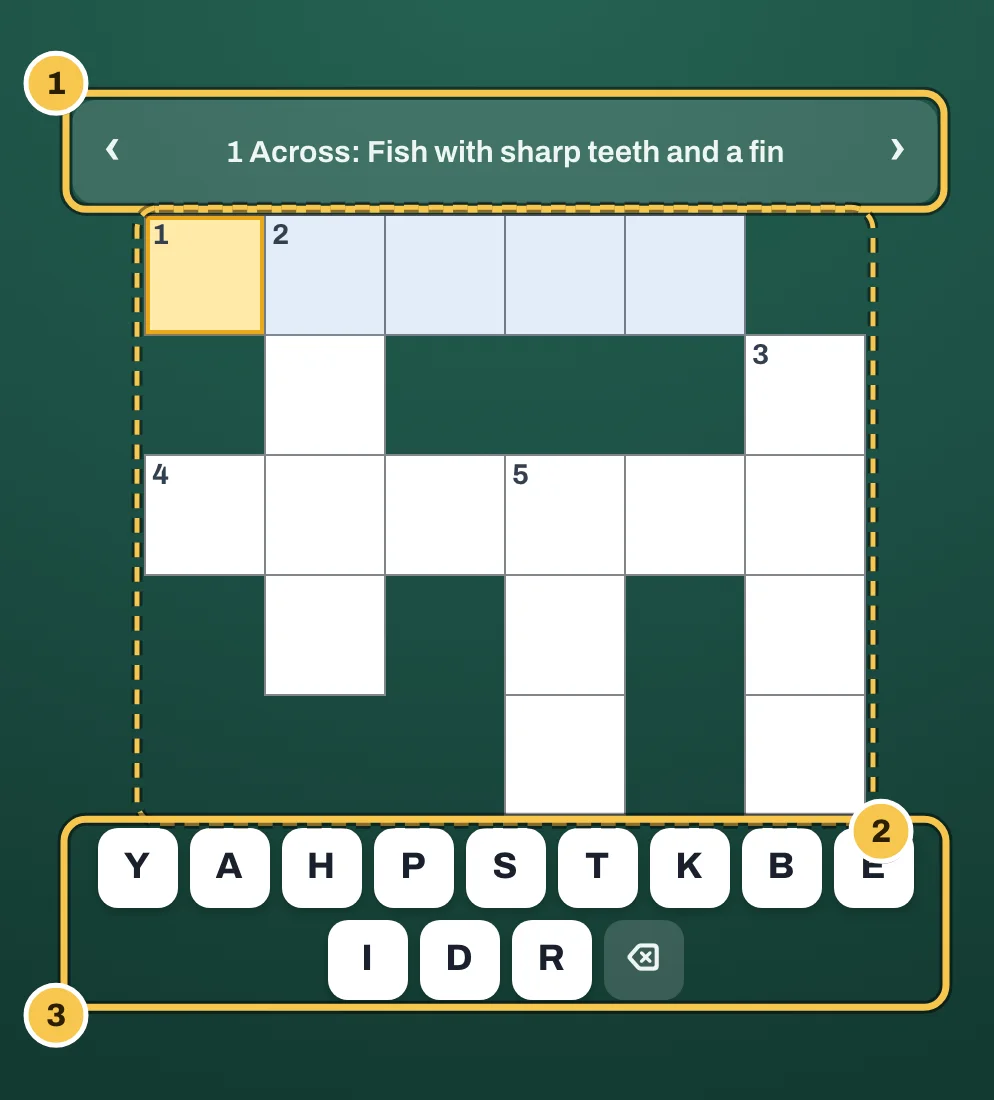
- The grid. White cells for letters; a number marks where a word starts.
- The clues. Each word has a number and a direction, across or down. The clue you are answering shows above the grid; on a wide screen every clue is listed beside it.
- The tiles. Every letter the puzzle needs, and a few it doesn't. Tap a tile to write its letter.
How to play, step by step
- Read the clue above the grid. The cells of its word are tinted.
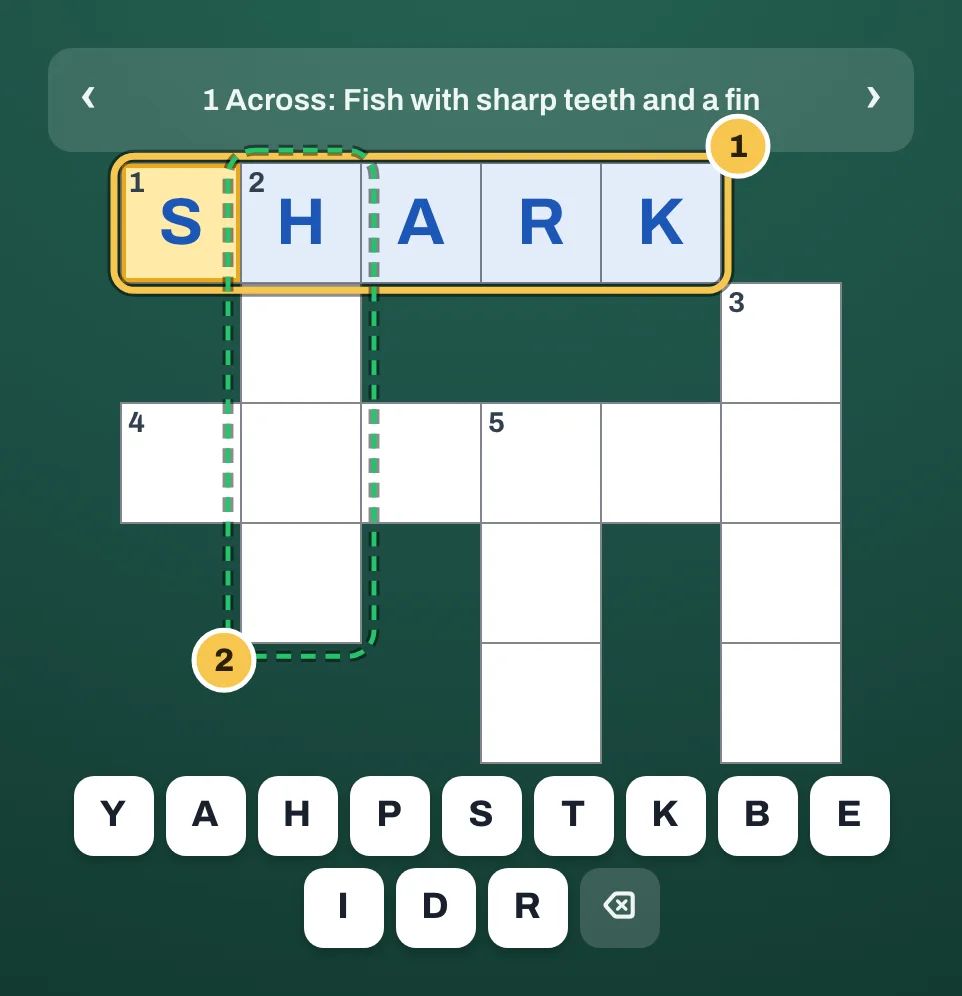
- Write the answer. Tap tiles one after another (or type on a keyboard): each letter goes in the chosen cell, then the next.
- Change words. Tap any cell, or use the arrows beside the clue. Tap a cell twice to switch between across and down.
- Use the crossings. Letters you place help with the words that cross them.
- Fix mistakes. A letter that doesn't belong turns red: erase it with ⌫ and try again.
Levels
| Level | Words | Largest grid | Tiles you won't need |
|---|---|---|---|
| Easy | 5 | 7 × 7 | 2 |
| Medium | 7 | 8 × 8 | 4 |
| Hard | 9 | 9 × 9 | 6 |
In Arabic the grid reads from right to left; in Chinese, Japanese and Korean each cell holds a character or a syllable, and in Hindi a syllable.
Common mistakes
Two things catch new players. Writing in the wrong direction: check the tinted cells before you start a word, and tap the cell again to switch. And forcing a word that almost fits: if a crossing letter disagrees, one of the two words is wrong.
How you win
Fill every word correctly. Your time and your mistakes are shown, and your best times are kept for each level. Choose the level under New.
Undo and hints
Undo takes back as many letters as you like. Hint points at a wrong letter first, then at an empty cell and the tile that belongs in it.
Controls
- Tap a cell to choose it; tap it again to switch between across and down.
- Tap a tile to write its letter; ⌫ erases.
- ‹ › beside the clue go to the previous or next word; on a wide screen, tap a clue in the list.
- On a keyboard, type the letters; Backspace erases and the arrow keys move between cells.
Tips for solving faster
- Start with the clue you're surest of. Every word you fill gives letters to the words it crosses.
- Count the cells. The length of a word narrows the answer.
- Look at the tiles. The letters on offer tell you which answers are possible.
- Go back and forth. A word you couldn't answer may become clear with one crossing letter.
- Think of everyday words. The answers are common words, not rare ones.
- Erase red letters at once. A wrong letter misleads the word that crosses it.
Questions
Are the words and clues translated from English?
No. Every language of the site has its own list of everyday words and clues, written in that language.
Where do the puzzles come from?
Each puzzle is built when you start it, from the words of your language: they are fitted together so that every crossing shares a letter, and no letters touch where no word runs.
Does Undo cost anything?
No. Undo as often as you like.
Is it free? Do I need an account?
Yes, it's free, and you don't need an account or a download. Your current game and your statistics are saved in this browser on this device. A free account is optional: it keeps your games on every device and puts your wins on the leaderboards.
What happens if I close the page?
Your puzzle is saved after every letter. Open the page again in the same browser and you carry on where you were.
Can I play offline?
Yes. After your first visit, the game works without an internet connection. On a phone, add it to your home screen to open it like an app.